


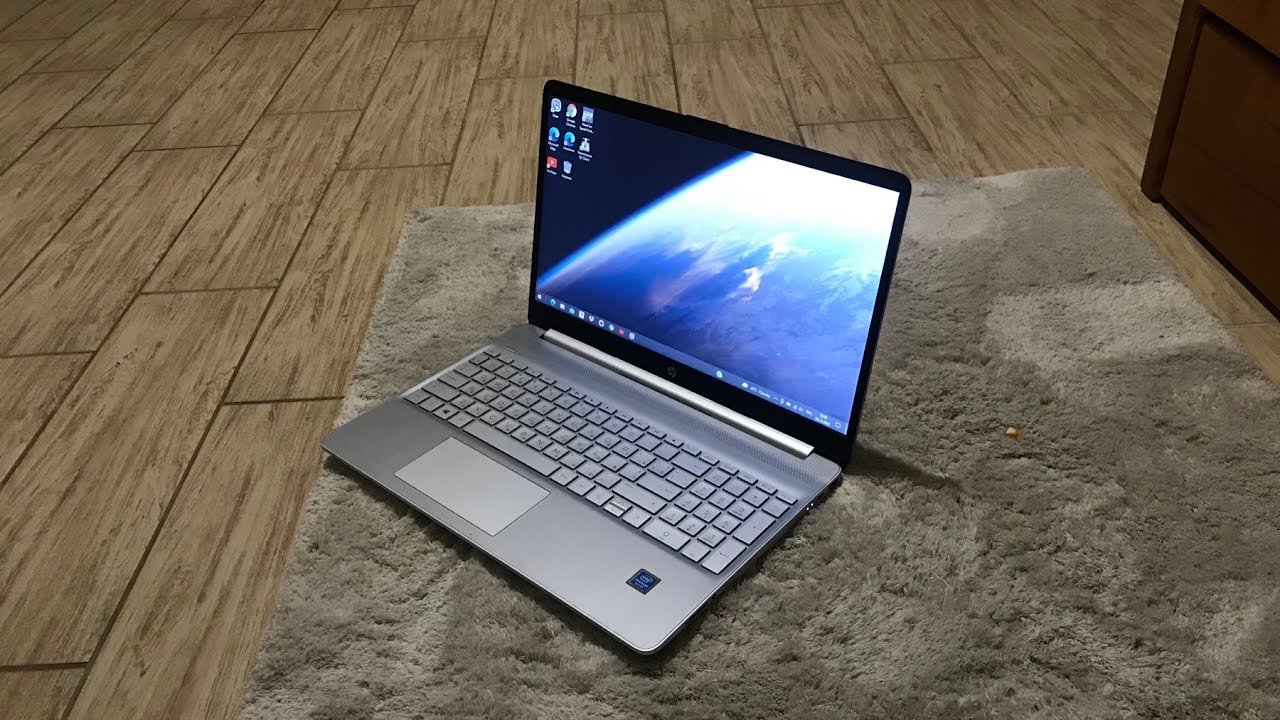
The HP Laptop 15s-du0xxx is a family of 15.6-inch HP notebooks designed primarily for everyday computing, study, office work, entertainment, and general productivity. The “du0xxx” designation refers to a series of configurations rather than one exact laptop, so specifications can differ depending on the processor, graphics, display, storage, and region.
HP’s service documentation identifies the 15s-du0xxx as an APJ model number within the HP 15 platform. Available configurations include Intel processors from Celeron and Pentium models through 7th- and 8th-generation Core processors, along with both integrated and optional NVIDIA graphics.
HP 15s-du0xxx Specifications at a Glance
Because the 15s-du0xxx is a model family, there is no single specification sheet that applies to every unit. The exact configuration should be checked using the laptop’s product number or serial information on HP’s support site.
The platform supports several Intel processor options. Depending on the specific configuration, users may find an Intel Core i3-7020U, Core i3-8145U, Core i5-8265U, Core i7-8565U, Pentium Silver N5000, or Celeron N4000.
The display is generally a 15.6-inch 16:9 panel, with configurations including HD resolution at 1366 × 768. HP’s service documentation also lists BrightView SVA panels and a touch-enabled HD option on selected configurations.
Processor Options
The processor is one of the biggest differences between individual HP 15s-du0xxx configurations. Entry-level versions can use Intel Celeron or Pentium processors, while higher configurations can feature 8th-generation Intel Core chips.
The Core i3-8145U is a dual-core processor with a base frequency of 2.1 GHz and Turbo Boost up to 3.9 GHz. The Core i5-8265U is a quad-core processor with a 1.6 GHz base frequency and Turbo Boost up to 3.9 GHz, while the Core i7-8565U is a quad-core processor capable of reaching up to 4.6 GHz under Turbo Boost.
This means two laptops carrying the HP 15s-du0xxx name can provide noticeably different performance. A Core i5 or Core i7 configuration is generally better suited to heavier multitasking than an entry-level Celeron or Pentium version.
Graphics
Graphics capabilities also depend on the exact configuration. Models using 8th-generation Core processors can feature Intel UHD Graphics 620, while 7th-generation Core models can use Intel HD Graphics 620. Pentium and Celeron configurations can use Intel UHD Graphics 605 or UHD Graphics 600 respectively.
Some configurations were also offered with dedicated NVIDIA graphics. HP’s documentation lists the GeForce MX250 with 4 GB of dedicated memory, along with GeForce MX130 and MX110 options with 2 GB of dedicated memory.
The dedicated-GPU versions are more capable for graphics-oriented workloads than the integrated-graphics models. However, this laptop family is primarily aimed at everyday computing rather than modern high-end gaming.
Display Quality
The 15.6-inch screen gives the HP 15s-du0xxx a relatively spacious working area compared with smaller notebooks. Its 16:9 format works well for documents, web browsing, videos, spreadsheets, and general office tasks.
Many configurations use a 1366 × 768 HD resolution, while HP’s documentation identifies a narrow-bezel WLED panel with a brightness specification of up to 220 nits on listed configurations.
The HD resolution is adequate for basic productivity, but users who want sharper text, more workspace, or better media quality should check the exact panel installed in their particular unit before purchasing or upgrading.
RAM and Memory
Memory configurations vary across the 15s-du0xxx family. Kingston’s compatibility information for Core-based 15s-du0xxx systems lists removable memory configurations of 4 GB, 8 GB, and 12 GB, with support for up to 16 GB on the referenced platform.
This upgrade flexibility can make a significant difference when using the laptop for modern multitasking. Increasing memory can help when working with numerous browser tabs, office applications, communication tools, and other programs simultaneously.
However, the precise upgrade capability can depend on the motherboard and processor configuration, so users should verify the exact product number before purchasing memory.
Storage Options
The HP 15s-du0xxx platform can support multiple storage technologies. Kingston lists 2.5-inch SATA storage as well as M.2 SATA and M.2 NVMe options for the Core-based configuration.
This provides useful upgrade flexibility. A traditional 2.5-inch drive can provide additional storage capacity, while an M.2 SSD can provide much faster system responsiveness when supported by the particular configuration.
HP community guidance referencing the 15s-du0xxx service manual states that applicable Intel Core configurations support M.2 NVMe and M.2 SATA, with an M.2 PCIe 3.0 interface in the discussed configuration.
Before buying an SSD, it is important to identify the exact laptop configuration rather than assuming every 15s-du0xxx machine has identical storage support.
Connectivity and Expansion
The HP 15 platform provides a combination of USB connectivity, display connectivity, audio support, and memory-card functionality depending on configuration. Kingston’s platform information lists USB 2.0/3.x Type-A, USB Type-C, SDXC flash-card support, and HDMI among the available interfaces.
This makes the laptop practical for connecting external storage, accessories, displays, memory cards, and other everyday peripherals.
Wireless connectivity also varies according to the specific configuration and installed hardware, so buyers should check the individual product number if Wi-Fi generation or Bluetooth version is important.
Operating System
The HP 15s-du0xxx was originally sold during the Windows 10 era, and individual machines can therefore be found with different operating-system configurations depending on their history and region.
For example, a documented 15s-du0xxx machine was listed with Windows 10 Home Single Language, an Intel Core i3-7020U processor, and 8 GB of RAM.
The operating system installed today may differ because owners can upgrade or reinstall the software. Therefore, the model number alone should not be used to assume the current Windows version.
Everyday Performance
The HP 15s-du0xxx can perform well for common tasks when equipped with a suitable processor and sufficient RAM. Web browsing, document editing, email, online classes, presentations, video playback, and basic office applications are all appropriate workloads for many configurations.
Performance becomes more dependent on the specific hardware when running demanding applications. An 8th-generation Core i5 or i7 model with an SSD and adequate RAM can provide a considerably better experience than an entry-level configuration with a slower processor and mechanical hard drive.
For this reason, it is better to evaluate the individual configuration rather than treating every HP 15s-du0xxx laptop as having identical performance.
Gaming Performance
Gaming capability depends heavily on the installed graphics hardware. Integrated Intel graphics are suitable for lightweight games and older titles with appropriate settings, but they are not designed for demanding modern AAA gaming.
Models equipped with NVIDIA MX-series graphics offer additional graphics performance and can handle a broader range of games. Nevertheless, these GPUs belong to an entry-level mobile graphics class, so expectations should remain realistic.
The laptop is better viewed as an everyday productivity notebook that can support casual gaming than as a dedicated gaming computer.
Upgrade Potential
One of the useful aspects of the HP 15s-du0xxx platform is its upgrade potential. Compatible configurations can provide removable RAM and multiple storage options, allowing owners to improve system responsiveness without replacing the entire laptop.
For a laptop that feels slow, replacing a mechanical hard drive with a compatible SSD can produce a particularly noticeable improvement in boot times and application loading. Increasing RAM can also help users who regularly run multiple programs simultaneously.
Because the series contains many hardware variations, however, upgrade decisions should be based on the exact product number and service documentation for the individual machine.
Who Is the HP 15s-du0xxx Best For?
The HP 15s-du0xxx is well suited to students, home users, office workers, and people who need a relatively affordable laptop for everyday computing.
Its 15.6-inch form factor provides more screen space than compact notebooks, making it convenient for spreadsheets, documents, online learning, browsing, and entertainment.
Higher-spec configurations can also be useful for light content creation and more demanding multitasking, particularly when equipped with a Core i5 or Core i7 processor, sufficient RAM, an SSD, and dedicated graphics.
Pros and Limitations
The biggest advantage of the HP 15s-du0xxx is its variety of configurations. Buyers can find versions ranging from basic everyday machines to considerably more capable Core-based models with dedicated NVIDIA graphics.
Its upgrade possibilities are another advantage, with supported configurations offering removable memory and multiple storage interfaces.
The main limitation is that the model name does not tell you the complete hardware specification. Two 15s-du0xxx laptops can have different processors, graphics, memory, storage, and display configurations.
The older hardware generation is also important to consider when comparing this laptop with newer machines. Users purchasing one today should focus on the actual condition, SSD configuration, RAM, battery health, and processor rather than relying only on the HP model name.
How to Check Your Exact HP 15s-du0xxx Specifications
The safest way to identify the exact configuration is to locate the product number on the laptop and enter it on HP’s support website. HP specifically notes that the 15s-du0000 support page may require the product number because the serial number alone may not uniquely identify the product.
HP also indicates that laptop identification information can typically be found on the underside of the computer or accessed through system information shortcuts such as Fn + Esc.
Once the product number is identified, users can check the appropriate HP support documentation for the exact processor, display, memory, storage, drivers, and other hardware details.
Frequently Asked Questions
What is the HP 15s-du0xxx?
The HP 15s-du0xxx is a family of 15.6-inch HP laptops sold in multiple hardware configurations. It is part of the HP 15 platform and was offered with several Intel processor and graphics options.
How much RAM does the HP 15s-du0xxx support?
Supported memory depends on the specific configuration. Kingston lists up to 16 GB for the referenced Core-based 15s-du0xxx platform.
Can the HP 15s-du0xxx use an NVMe SSD?
Applicable Core-based configurations support M.2 NVMe storage, according to HP community guidance referencing the service manual. The exact compatibility should still be checked against the individual model.
Is the HP 15s-du0xxx good for gaming?
It can handle casual and older gaming, especially in configurations with NVIDIA MX-series graphics. Integrated-graphics versions are better suited to basic games and everyday workloads.
Is HP 15s-du0xxx one exact laptop model?
No. 15s-du0xxx identifies a family of configurations, which is why specifications can differ significantly between individual laptops.
Conclusion
The HP Laptop 15s-du0xxx is a versatile 15.6-inch notebook family with a broad range of hardware configurations. Depending on the specific model, it can include Intel Celeron, Pentium, Core i3, Core i5, or Core i7 processors, integrated Intel graphics, optional NVIDIA graphics, removable RAM, and several storage possibilities.
Its strongest qualities are its practical screen size, everyday usability, and upgrade flexibility on supported configurations. For anyone buying or upgrading one today, the most important step is to identify the exact product number because “15s-du0xxx” alone does not represent one fixed specification.
