


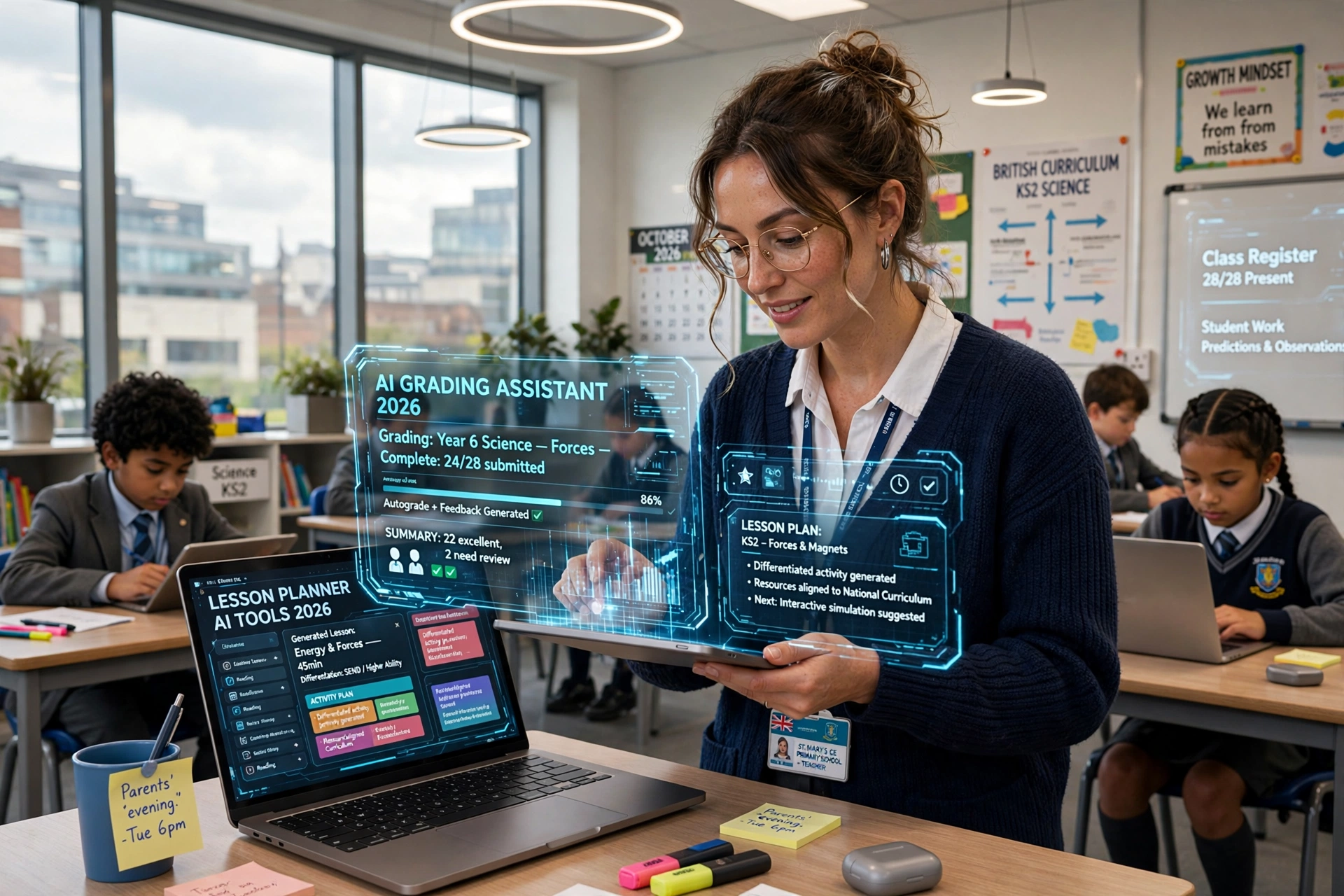
Teaching is one of the most rewarding professions, but it also comes with a demanding workload that extends far beyond the classroom. From creating lesson plans and preparing presentations to grading assignments, writing feedback, designing worksheets, and communicating with parents, teachers often spend hours completing administrative tasks instead of focusing on student learning.
Artificial intelligence (AI) is changing how educators manage these responsibilities. With the right AI tools for teachers, it is possible to automate repetitive tasks, create engaging educational resources, personalize learning materials, and streamline classroom management without compromising teaching quality.
The purpose of educational technology is not to take the place of teachers, but to free up their time so they can focus on building stronger connections with students and supporting their learning. By integrating the right tools into their daily routines, teachers may be able to save up to 10 hours per week, depending on their workload, teaching style, and level of automation.
In this article, we explore the 7 best AI tools for teachers to save 10 hours weekly, including their key features, practical classroom applications, benefits, and limitations. Whether you teach elementary school, secondary school, or higher education, these tools can help you work more efficiently and create a better learning experience.
Why Teachers Should Use AI Tools in Education
Modern educators face increasing expectations to deliver personalized instruction, assess student progress, and develop engaging learning experiences. At the same time, they must manage lesson preparation, grading, documentation, and communication, making time management a significant challenge.
AI-driven educational tools can ease teachers’ workloads by preparing initial materials, structuring resources, tailoring lessons to different learning needs, and handling routine administrative tasks automatically. Instead of starting every lesson plan or worksheet from scratch, teachers can use AI-generated suggestions as a foundation and refine them according to their students’ needs.
Another major advantage of AI in education is personalization. Teachers can use AI to adjust reading levels, create differentiated assignments, generate practice questions, and explain complex concepts in multiple ways.
However, AI-generated content is not always accurate, unbiased, or appropriate for every classroom. Teachers should review all outputs, protect student information, and follow their school’s technology policies before incorporating AI into their teaching practices.
1. ChatGPT: The Top All-Around AI Assistant for Educators
ChatGPT is one of the most versatile AI tools for teachers because it can assist with lesson planning, worksheet creation, classroom activities, assessment questions, and instructional materials. Educators can describe their subject, grade level, learning objectives, and available class time to generate customized teaching resources within minutes.
For instance, a science educator teaching the solar system can use ChatGPT to outline a 45-minute class, design an introductory task, recommend a practical experiment, and draft questions to evaluate student understanding. Similarly, an English teacher can generate creative writing topics, clarify grammatical concepts, prepare reading comprehension activities, and tailor examples to learners with varying skill levels.
The platform can also help teachers simplify complex topics, brainstorm project ideas, draft classroom announcements, and develop rubrics for evaluating student work. These capabilities make it especially useful for educators who regularly create new materials or teach multiple classes.
Key features for teachers: Lesson planning, educational content generation, quiz creation, differentiated instruction, brainstorming, and drafting feedback.
How it saves time: ChatGPT can reduce the time spent creating teaching materials from scratch by generating reusable first drafts. With well-designed prompts and careful review, teachers can potentially save several hours each week on preparation and routine writing.
Limitations: AI responses can contain factual errors, outdated information, or inappropriate assumptions. Teachers should verify important facts, especially in science, mathematics, history, and other subjects where accuracy is essential.
Best for: Teachers who need an all-purpose AI assistant for everyday teaching tasks.
Explore the tool at https://chatgpt.com/
2. MagicSchool AI: Best AI Platform for Classroom Teaching
MagicSchool AI is designed specifically for educators and offers a collection of AI-powered tools for lesson planning, assessment development, differentiation, and classroom communication. Unlike general-purpose AI assistants, its education-focused features are organized around common teaching responsibilities, making it easier for educators to find tools for specific tasks.
Teachers can use MagicSchool AI to create lesson plans aligned with learning objectives, generate multiple-choice questions, develop writing rubrics, and adapt instructional materials for students with different learning needs. It can also help educators draft individualized education plan-related materials, although professional judgment and applicable legal requirements must guide any formal documentation.
For example, a middle school teacher preparing a unit on ecosystems could use the platform to generate discussion questions, create a vocabulary worksheet, design an exit ticket, and develop differentiated activities for students who need additional support. Rather than preparing each resource independently, the teacher can begin with AI-generated drafts and refine them for the classroom.
MagicSchool AI is particularly valuable for teachers who want education-specific workflows rather than a general chatbot. It can also support instructional planning across different subjects and grade levels, depending on the tools available in the platform.
Key features for teachers: Lesson plan generation, assessment creation, differentiated learning resources, rubric development, and classroom communication support.
How it saves time: By bringing multiple teacher-focused tools into one platform, MagicSchool AI can reduce the need to switch between different applications and repeatedly create similar resources.
Limitations: Teachers should review generated materials for curriculum alignment, accessibility, age appropriateness, and accuracy. Available features and usage limits may vary by plan.
Best for: Teachers looking for an education-focused AI platform to simplify lesson preparation and instructional planning.
Explore the tool at https://www.magicschool.ai/
3. Diffit: The Best AI Solution for Personalized and Differentiated Instruction
Differentiated instruction is essential in classrooms where students have different reading abilities, language backgrounds, and levels of subject knowledge. Nevertheless, preparing multiple adaptations of a single learning resource can take considerable time, especially when educators must accommodate students who need extra guidance alongside those ready for more challenging material.
Diffit helps educators generate and adapt educational materials for different reading levels. Teachers can start with a topic, a text, or another supported source and create resources such as reading passages, vocabulary lists, comprehension questions, and other classroom activities.
For instance, a teacher covering climate change may need one version of a reading passage for advanced students and another version for learners who need simpler language. Diffit can help create differentiated materials around the same topic, allowing the class to work toward common learning objectives while receiving appropriately challenging content.
The platform can also support multilingual learners by helping teachers prepare accessible materials and vocabulary activities. This can be especially useful in diverse classrooms where students need additional language support to understand subject-specific concepts.
Instead of rewriting entire passages manually, teachers can use AI-generated adaptations as drafts, check that essential concepts remain intact, and make adjustments based on individual learning needs.
Key features for teachers: Reading-level adaptation, educational text generation, vocabulary support, comprehension questions, and differentiated learning materials.
How it saves time: Diffit reduces the effort required to prepare multiple versions of classroom resources, particularly when a lesson must accommodate a wide range of reading abilities.
Limitations: Simplified texts may lose important nuances or subject-specific details. Teachers should review adapted materials to ensure that they remain accurate and meet the intended learning objectives.
Best for: Teachers who work with mixed-ability classrooms, multilingual learners, or students who need differentiated reading materials.
Explore the tool at https://diffit.me/
4. Canva for Education: Best AI Tool for Educational Presentations
Visual learning resources can make difficult concepts easier to understand, but creating attractive presentations, infographics, worksheets, and classroom posters often requires considerable time. Canva for Education helps teachers design these materials using ready-made templates and a range of visual editing tools, with AI-powered features available depending on the product and account.
Teachers can use Canva to create lesson presentations, educational posters, classroom schedules, diagrams, flashcards, and student project templates. Its design features can help educators turn a basic lesson outline into a visually engaging resource without requiring advanced graphic design skills.
For example, a geography teacher explaining the water cycle could prepare a presentation with diagrams, illustrations, and labeled stages. A primary school teacher could create colorful alphabet worksheets, while a history teacher could design a timeline that helps students understand the sequence of important events.
Canva’s AI-assisted features may also help users generate or refine text, create visual assets, and develop design concepts. These capabilities can make resource creation more efficient, although the specific features available depend on the current plan and eligibility requirements.
An additional advantage is that teachers can reuse and customize templates for future lessons. Rather than rebuilding materials each term, educators can update existing designs with new content and maintain a consistent visual style across their teaching resources.
Key features for teachers: Presentation templates, worksheet design, educational infographics, visual content creation, and AI-assisted design tools.
How it saves time: Reusable templates and integrated design features can reduce the time spent formatting presentations and preparing classroom visuals.
Limitations: Teachers should check the accuracy of AI-generated text and images, confirm licensing requirements for shared materials, and avoid overloading slides with unnecessary visual elements.
Best for: Teachers who frequently prepare presentations, worksheets, posters, and visually engaging educational content.
Explore the tool at https://www.canva.com/education/
5. Grammarly: Best AI Tool for Teacher Writing and Communication
Teachers spend a surprising amount of time writing emails, providing assignment feedback, preparing instructions, and communicating with parents and colleagues. Grammarly helps improve the clarity, correctness, and tone of written communication, making it a useful productivity tool for educators.
Its writing assistance can identify grammar, spelling, punctuation, and clarity issues. Depending on the plan and available features, it may also suggest changes in tone, improve sentence structure, and help users draft or revise text.
For example, a teacher writing a message to parents about an upcoming examination can use Grammarly to make the message clearer and more professional. Similarly, educators can refine assignment instructions, improve the readability of classroom handouts, and polish administrative documents before sharing them.
Grammarly can also help teachers make written feedback more concise and constructive. When educators provide comments on student assignments, clear language can make expectations easier to understand and help learners identify areas for improvement.
However, writing assistance should support the teacher’s own judgment rather than replace it. Personalized feedback is particularly important when discussing a student’s progress, behavior, or individual circumstances.
Key features for teachers: Grammar correction, spelling checks, clarity suggestions, tone adjustments, and AI-assisted writing support.
How it saves time: Grammarly reduces the need for repeated proofreading and helps educators communicate more efficiently across emails, documents, and other supported writing environments.
Limitations: Automated suggestions may occasionally change the intended meaning or tone. Teachers should also avoid entering confidential student information into tools unless the relevant privacy protections and institutional policies permit it.
Best for: Teachers who write frequent emails, classroom instructions, reports, and student feedback.
Explore the tool at https://www.grammarly.com/
6. Quizizz (Wayground): Best AI Tool for Quizzes and Student Assessment
Assessment is an essential part of teaching, but preparing quizzes, reviewing student responses, and identifying learning gaps can consume valuable planning time. Quizizz, which has been rebranded as Wayground, provides an interactive learning and assessment platform with AI-supported features designed to help educators develop engaging learning activities.
Teachers can use the platform to create quizzes, formative assessments, practice exercises, and interactive classroom activities. Depending on the current features available, AI-assisted workflows can help educators generate assessment questions from topics or instructional materials and adapt activities to suit particular learning goals.
For example, a mathematics teacher preparing a lesson on fractions can create a short quiz to assess student understanding before moving to more advanced problems. A language teacher can prepare vocabulary practice, while a science teacher can develop questions to check whether students understand the main concepts in a recent lesson.
Interactive assessments can also provide teachers with useful information about student performance. Reviewing response patterns helps educators identify questions that many students answered incorrectly and decide whether a topic requires further explanation.
These tools are particularly helpful for formative assessment, where the primary goal is to monitor learning and adjust instruction. Teachers should still review questions for accuracy, appropriate difficulty, and alignment with the curriculum before assigning them.
Key features for teachers: Interactive quizzes, formative assessments, question generation, student practice activities, and learning-performance insights.
How it saves time: AI-assisted quiz creation and automated scoring for supported question types can reduce preparation and grading effort while making it easier to check student understanding.
Limitations: Automated results do not always reveal why a student answered incorrectly. Open-ended responses and complex reasoning tasks may still require careful teacher review.
Best for: Teachers who want to create interactive assessments, reinforce classroom learning, and monitor student understanding.
Explore the tool at https://wayground.com/
7. Gradescope: Best AI Tool for Grading and Feedback
Grading assignments is one of the most time-consuming responsibilities for many educators, particularly those who teach large classes or assess lengthy written and numerical responses. Gradescope helps streamline assessment workflows by providing tools for organizing submissions, applying grading rubrics, and reviewing student work more consistently.
The platform is particularly useful for courses involving examinations, problem sets, and other structured assignments. Its supported workflows can help instructors group similar answers, apply rubric-based grading, and manage the assessment process more efficiently.
For example, a mathematics instructor who receives dozens or hundreds of solutions to the same problem can use a consistent rubric to evaluate common approaches and recurring errors. An instructor teaching a technical subject can organize submissions around question types and provide standardized feedback where appropriate.
By making grading criteria more consistent and reducing repetitive administrative steps, Gradescope can help educators spend less time managing assessments and more time interpreting results and supporting students who need additional help.
The platform’s AI-assisted grading capabilities are designed for particular workflows and should not be assumed to replace human evaluation in every subject or assignment type. Educators remain responsible for checking grading decisions, applying rubrics fairly, and addressing unusual or complex responses.
Key features for teachers: Rubric-based grading, assignment management, answer grouping, feedback workflows, and supported AI-assisted assessment features.
How it saves time: The platform can reduce repetitive grading work, particularly for structured assessments and classes with large numbers of submissions.
Limitations: Not every assignment can be graded effectively through automated or semi-automated workflows. Essays, creative projects, and nuanced responses may require substantial human judgment.
Best for: Higher education instructors, examination-focused courses, and educators who regularly grade large volumes of structured student work.
Explore the tool at https://www.gradescope.com/
How Much Time Can Teachers Actually Save With AI?
AI tools can reduce the time required for lesson planning, resource creation, grading, and communication, but the amount saved depends on how much time a teacher currently spends on these tasks. Educators who frequently prepare new materials or manage large classes may benefit more than teachers whose resources and assessments are already highly standardized.
The following example illustrates how a teacher might aim to recover 10 hours per week by combining several AI-supported workflows. These figures are estimates for planning purposes, not guaranteed results or independently verified averages.
| Teaching task | Illustrative weekly time saved |
|---|---|
| Lesson planning with ChatGPT or MagicSchool AI | 2 hours |
| Differentiated worksheets with Diffit | 1.5 hours |
| Presentations and visual resources with Canva | 1 hour |
| Email writing and proofreading with Grammarly | 1 hour |
| Quiz creation and supported scoring with Wayground | 1.5 hours |
| Structured grading with Gradescope | 2 hours |
| Reusing and organizing existing resources | 1 hour |
| Total potential time saved | 10 hours |
This example represents a productivity target rather than a universal outcome. Some teachers may save less, particularly during the initial setup period, while others may save more when AI tools fit naturally into their existing workflows.
The most effective approach is to start with one or two tasks that consume the most time. Track how long those tasks take before and after introducing AI, review the quality of the results, and expand usage only when the benefits justify the effort.
How to Choose the Best AI Tools for Teachers
Choosing AI tools based only on popularity can lead to unnecessary subscriptions and complicated workflows. Teachers should instead evaluate their most time-consuming responsibilities and select tools that directly address those needs.
If lesson preparation is the biggest challenge, ChatGPT or MagicSchool AI may be a sensible starting point. Teachers who frequently adapt reading materials can explore Diffit, while those who spend considerable time designing presentations may benefit from Canva for Education.
For educators who need more efficient communication, Grammarly can support everyday writing tasks. Wayground may be useful for creating interactive quizzes, while Gradescope can help instructors manage grading for supported assessment formats.
Cost is another important consideration. Some platforms offer free access or education-specific plans, while advanced features may require payment or institutional eligibility. Teachers should verify current pricing, usage limits, and school licensing arrangements before committing to a paid plan.
Privacy and data protection also deserve careful attention. Educators should review each platform’s privacy policy, understand how submitted information may be processed, and avoid entering personally identifiable student information or confidential records without appropriate authorization and safeguards.
Finally, the best AI tool is one that teachers can use consistently without adding unnecessary complexity. A small collection of well-integrated tools is often more useful than switching between numerous applications that perform overlapping functions.
Best Practices for Using AI Tools in the Classroom
To get meaningful results from AI, teachers should treat it as a teaching assistant rather than an independent decision-maker. AI-generated lesson plans, worksheets, quizzes, and feedback should be reviewed before use to ensure they are accurate, inclusive, age-appropriate, and aligned with learning objectives.
Clear instructions also improve the quality of AI-generated materials. Instead of asking for a generic lesson plan, teachers can specify the grade level, subject, learning outcomes, class duration, student needs, and preferred teaching approach. These details help the tool generate more relevant results and reduce the amount of editing required.
Another useful strategy is to create reusable prompts and templates. Teachers can save effective instructions for lesson planning, question generation, differentiated reading activities, and feedback drafting, then adapt them for new topics rather than starting from scratch each time.
Educators should also maintain appropriate boundaries between automation and professional judgment. AI may help draft feedback, suggest interventions, or organize assessment results, but teachers should make consequential decisions about student progress, grading disputes, accommodations, and well-being.
Schools and educators should establish clear expectations for student AI use as well. Students need to understand when AI assistance is permitted, how to acknowledge it where required, and why original thinking, source verification, and academic integrity remain important.
Common Mistakes to Avoid When Using AI in Education
One common mistake is accepting AI-generated content without checking it. Even polished responses can contain inaccurate facts, fabricated references, inappropriate examples, or questions with incorrect answers. Teachers should verify important details and test classroom materials before distributing them to students.
Another mistake is using too many tools at once. Managing multiple accounts, learning different interfaces, and transferring materials between platforms can create additional work instead of reducing it. Starting with a single high-impact task makes it easier to evaluate whether a tool genuinely improves productivity.
Teachers should also avoid assuming that automated feedback is always personalized or fair. AI-generated comments can sound generic, overlook individual circumstances, or fail to recognize creative approaches to a problem. Human review is necessary to ensure that feedback remains constructive and meaningful.
Finally, teachers should not measure success solely by the number of minutes saved. The real objective is to use time more effectively while maintaining instructional quality, student engagement, and professional standards. A tool that saves an hour but produces unreliable materials may not be worth using.
Conclusion: Use AI to Make Teaching More Efficient
The best AI tools for teachers can simplify lesson planning, create differentiated learning materials, improve classroom communication, develop assessments, and reduce repetitive grading tasks. ChatGPT, MagicSchool AI, Diffit, Canva for Education, Grammarly, Wayground, and Gradescope each address different challenges in the teaching process.
Saving 10 hours weekly is a realistic productivity goal for some educators, but it is not a guaranteed outcome. Actual savings depend on workload, subject area, class size, existing resources, and how effectively each tool is integrated into daily routines.
The smartest strategy is to begin with the task that takes the most time, choose a suitable AI tool, and measure the results over several weeks. As teachers develop effective prompts, reusable templates, and reliable review processes, they can build a workflow that reduces administrative pressure without sacrificing educational quality.
Ultimately, AI should support the human side of teaching rather than replace it. By automating routine work where appropriate, educators can devote more attention to explaining difficult concepts, encouraging curiosity, providing meaningful feedback, and helping every student succeed.
