


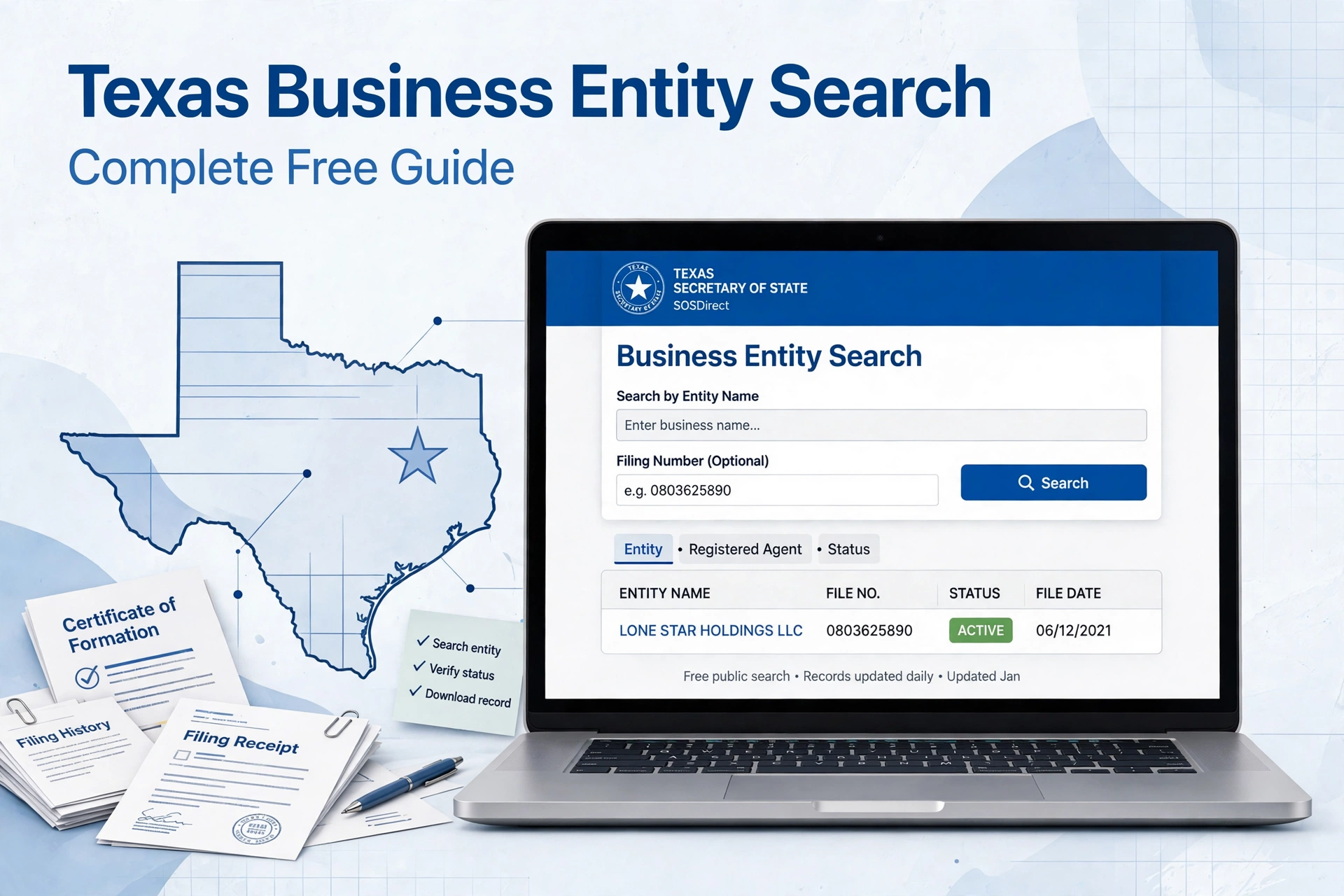
The Texas Secretary of State business search is an important resource for anyone who needs to research a company registered in Texas, verify business information, investigate an entity’s filing history, or check whether a proposed business name is available.
For years, these records have been accessed primarily through SOSDirect. However, 2026 brings an important change: the Texas Secretary of State launched SOSPortal on September 29, 2026, replacing SOSDirect and SOSUpload for business filing, ordering, and search functions.
This guide explains how the Texas business entity search works in 2026, what information you can find, how to search by business name or filing number, what the results mean, how much searches and records cost, and what to do when you need official copies or certificates.
How to Search for a Business Through the Texas Secretary of State
The Texas Secretary of State business search is an online records system maintained by the Texas Secretary of State’s Business and Public Filings Division.
It provides access to information concerning business organizations and nonprofit entities whose records are maintained by the state, allowing users to research registered companies without relying solely on information supplied by the business itself.
The search system can be useful for entrepreneurs, business owners, attorneys, lenders, investors, vendors, researchers, and members of the public.
A search can help you determine whether an entity exists in the state’s records, identify its filing information, examine available filing history, and obtain copies or certificates when official documentation is required.
Texas Business Search in 2026: SOSPortal Replaces SOSDirect
One of the most important updates for anyone searching Texas business records in 2026 is the transition from SOSDirect to SOSPortal.
The Texas Secretary of State announced that SOSPortal launched on September 29, 2026, bringing filing, ordering, and searching into a single system. The new platform replaces both SOSDirect and SOSUpload for these business services.
The new system includes several changes intended to modernize the user experience.
According to the Secretary of State, SOSPortal includes multifactor authentication, the ability to save filings as drafts, a My Submissions area for checking filing status and retrieving submissions, a shopping cart, and expedited submission options. ACH and credit card payments are accepted, while the previous Client Account system is not available in SOSPortal.
This means older articles and tutorials that tell users to log in to SOSDirect may now contain outdated instructions.
For searches conducted in late 2026 and going forward, users should look for the Texas Secretary of State’s SOSPortal business search and records-ordering services rather than assuming the older SOSDirect workflow still applies.
How to Search for a Business Entity in Texas
The basic process begins by accessing the Texas Secretary of State’s business services and selecting the appropriate search and records function in SOSPortal.
According to the Secretary of State’s latest instructions, users can access the Search & Order Records section, begin a new search, enter their payment details, choose Business Filings, and continue with the requested search then search for an entity using available search criteria.
When searching, use the most accurate information available.
If you know the company’s legal name, search by the entity name. If you know the Texas Secretary of State file number, searching by that number can be more precise because it can distinguish a particular entity from businesses with similar or related names.
After receiving the results, select the appropriate file number to open the entity’s information.
From there, you can review available information and, when necessary, access the entity’s filing history or order copies and certificates.
Searching by Texas Business Name
A business-name search is one of the most common ways to research a Texas company.
When entering a name, it is useful to begin with the distinctive portion of the company’s legal name rather than relying on punctuation, capitalization, or business endings such as “LLC” or “Inc.”
Similar names can produce multiple results, so do not assume that the first matching record is automatically the company you need.
Review the complete result and compare information such as the entity’s file number, legal name, entity type, and other available identifying information before using the record for business or legal purposes.
A name search can also be useful when starting a new business.
Texas provides resources for checking business-name availability, but a search result should not automatically be interpreted as a guarantee that a proposed name can ultimately be used. Name availability can depend on applicable Texas requirements and the circumstances of the proposed filing.
Searching by Texas Filing Number
If you already have a Texas Secretary of State file number, use it whenever possible.
A filing number is generally more specific than a broad name search because it points to the state’s record for a particular entity.
This can be especially helpful when a company has a common name or when several entities have similar names.
If you are reviewing documents supplied by a company, check whether the Texas file number shown on those documents corresponds with the entity returned by the Secretary of State’s database.
Using the file number can reduce the possibility of confusing two businesses with similar names.
What Information Can You Find?
A Texas business search can provide access to a range of information maintained in the Secretary of State’s records.
Depending on the entity and record, users may be able to review information associated with the business entity and its filing history.
The Secretary of State specifically states that its online search capabilities can be used to search by entity name, registered agent, corporate officer or director, and certain LLC members or managers and limited-partnership general partners, as well as to review an entity’s filing history.
The precise information available can vary according to the entity type and documents filed with the state.
For that reason, a Texas business search should be viewed as a way to examine state-maintained records rather than as a complete profile of every aspect of a company.
Understanding Business Status
When reviewing a Texas business record, pay close attention to the entity’s status and filing history.
The existence of a record does not by itself tell you everything about whether a company is actively conducting business, financially healthy, compliant with every applicable law, or suitable for a particular transaction.
State records primarily document filings and information maintained by the Secretary of State.
If you need to establish a company’s official status for a transaction, contract, legal proceeding, financing arrangement, or other formal purpose, an ordinary database search may not be sufficient.
In those situations, consider obtaining an official certificate or other appropriate record from the Secretary of State.
How to Check a Texas Registered Agent
The registered agent is another important piece of information when researching a Texas business.
A registered agent generally serves as the entity’s designated recipient for service of process and certain official communications.
Texas’s business search resources allow users to search business records using registered-agent information, and the state’s business identity-theft guidance specifically identifies registered-agent searches among the available search capabilities.
If you are evaluating a company record, compare the registered-agent information with the company’s other state filings.
A registered agent’s name or address should not, by itself, be treated as proof of ownership or management because the roles associated with an entity can differ.
Reviewing Filing History
The filing history is one of the most useful parts of a Texas business record when you need more than the company’s current basic information.
Historical filings can help show how the entity’s record has changed over time.
For example, a filing history may contain documents associated with formation, amendments, changes involving registered-agent information, mergers, terminations, reinstatements, or other filings, depending on the entity and its circumstances.
The Secretary of State’s instructions explain that users can select an entity’s file number and access its filing history, including options to obtain plain copies of documents.
Reviewing the history rather than looking only at the latest record can be particularly important when conducting due diligence.
How Much Does a Texas Business Search Cost?
As of 2026, the Texas Secretary of State charges a $1 statutory fee for each business-record search through its online system.
The Secretary of State explains that the fee supports the operation and enhancement of its electronic services.
The current instructions for SOSPortal likewise state that a search produces a $1 fee.
When ordering records, additional charges may apply depending on what you request. The current Texas fee schedule lists plain, uncertified copies at $0.10 per page, while a Certificate of Fact, including a Certificate of Existence or Status, is listed at $15. A long-form Certificate of Existence is listed at $25.
The Secretary of State also states that the $1 search fee is waived when an order is placed from the search results in the applicable records-ordering workflow.
Because fees and procedures can change, users should verify the current fee schedule before placing an order.
How to Order Copies of Texas Business Documents
A basic search may be enough when you simply need to locate an entity.
If you need documentation, however, you can use SOSPortal to order copies and certificates.
The Secretary of State’s instructions explain that users can search for the entity, open its file number, select Order Copies & Certificates, choose the documents required from the filing history, and proceed through checkout.
Plain copies can be useful for ordinary research and recordkeeping.
Certified copies or certificates are more appropriate when an organization, government agency, lender, court, attorney, or other party specifically requires an official or certified state record.
Certificate of Existence and Certificate of Status
A Certificate of Fact can be particularly important when someone needs formal evidence concerning a Texas entity.
The Texas fee schedule identifies a Certificate of Fact as including a Certificate of Existence or Status and currently lists the fee at $15.
A long-form Certificate of Existence, which includes status plus a list of filings, is currently listed at $25.
These documents are different from simply viewing an online business search result.
If another party has specifically requested a certificate, make sure you order the type of document that meets its requirements rather than sending a screenshot or ordinary database result.
Texas Business Search vs. Other Business Records
The Texas Secretary of State database should not be confused with every other state or federal source of business information.
Texas Secretary of State records primarily concern documents and entities maintained by that office.
Other information may be maintained by different agencies.
For example, tax records, licensing information, assumed-name records in particular circumstances, court records, local permits, professional licenses, and federal tax information can involve different government systems and different legal requirements.
Consequently, a Texas Secretary of State search is an important starting point for business research, but it may not answer every question about a company.
Is the Texas Business Search Free?
The answer depends on what you mean by “search.”
The Texas Secretary of State’s current online system charges a $1 fee per search, so users should not assume that the official business-record search is completely free.
Third-party websites may display Texas business information without charging the user directly, but those services are not the same as searching the state’s official records yourself.
For important business, legal, financial, or due-diligence decisions, the Texas Secretary of State’s official records are the appropriate primary source to consult.
Common Reasons to Search a Texas Business
People use the Texas Secretary of State business search for many different purposes.
An entrepreneur may search to investigate an existing company name before forming a new entity.
A vendor may research a customer or prospective business partner before entering into a contract.
A lender or investor may need to verify entity information and review relevant filings.
Business owners can also monitor their own records.
The Texas Secretary of State recommends that businesses check their filings at least annually as one measure for detecting potential business identity theft, and its guidance notes that online searches can be used to review entity information and filing history.
Tips for Getting Better Search Results
Start with the information that is most specific to the company you are researching.
A precise Texas file number is usually more useful than a broad company-name search when the number is available.
If you only have a name, search using the distinctive words and carefully examine all matching records rather than selecting a result solely because the name looks familiar.
Pay particular attention to spelling, entity type, registered-agent information, and filing history.
If the purpose of your research is important enough to require documentation, save or order the relevant state record instead of relying only on your notes from the search.
Protecting Business Information
The Secretary of State’s online records are public records, but not every piece of information submitted to the state is necessarily available to the public.
The Texas Secretary of State explains that Social Security numbers, credit-card and bank-account numbers, access-device numbers, and certain other information are confidential under the Texas Public Information Act.
The agency says that it will redact protected information from documents made available to the public while retaining an unredacted copy for authorized purposes.
Businesses should therefore avoid unnecessarily including sensitive personal information in filings or attachments.
What Changed in September 2026?
September 2026 is an important point in the history of the Texas business search system because the Secretary of State moved its business search and filing infrastructure to SOSPortal.
The agency announced that online filing services, searches, and orders would be temporarily unavailable during the transition, with the new system scheduled to resume service on September 29.
The new platform consolidates functions that were previously divided between SOSDirect and SOSUpload.
It also introduces features such as multifactor authentication, saved drafts, submission tracking, and a shopping-cart system for filings and expedited services.
This transition is particularly relevant when reading older online guides because instructions referring exclusively to SOSDirect may no longer describe the current process accurately.
Frequently Asked Questions About the Texas Secretary of State Business Search
Can I search for a Texas LLC?
Yes.
Texas business-record searches can be used to locate business entities such as LLCs, although the exact information and documents available depend on the entity and its filings.
Can I search by business name?
Yes.
The Texas business search system supports searching business filings by entity name, along with other search methods.
Can I search by file number?
Yes.
A Texas Secretary of State file number can be used to locate a particular entity and can be especially useful when multiple businesses have similar names.
Can I see a company’s filing history?
Yes.
The Secretary of State provides access to filing-history information associated with business entities, and users can obtain plain copies or order other records when available.
Does a Texas business search prove that a company is legitimate?
No.
A state registration establishes that an entity has a record with the Texas Secretary of State, but registration alone does not establish the quality, financial condition, reputation, licensing status, or legitimacy of every activity conducted by a business.
Additional research may be necessary depending on the purpose of the investigation.
Is SOSDirect still the Texas business search system?
As of September 29, 2026, SOSPortal has replaced SOSDirect and SOSUpload for Texas business filing, ordering, and search services.
Older references to SOSDirect may still appear in archived materials and older third-party guides, but the current Texas Secretary of State system is SOSPortal.
Final Thoughts
The Texas Secretary of State business search is a central tool for researching companies registered in Texas, checking entity information, reviewing filing history, and obtaining official business records.
In 2026, the most significant development is the transition from SOSDirect to SOSPortal, which consolidates business searching, filing, and ordering into a modernized platform.
For routine research, start with the legal business name or Texas file number and carefully verify the resulting entity before relying on the information.
When you need formal evidence, move beyond a basic search and obtain the appropriate copy or certificate from the Secretary of State.
Because fees, system features, and filing procedures can change, the Texas Secretary of State’s official Business Services resources should remain the authoritative source for current requirements, fees, and search procedures.
For publication, I can also adapt this into a more Google-focused SEO version with a meta title, meta description, FAQ schema-ready questions, and strategically placed keywords while keeping the magazine-style formatting.
