


Gaming monitor technology continues to push the boundaries of speed, responsiveness, and visual clarity. For years, 144Hz and 240Hz displays were considered premium options for competitive gaming, while 360Hz and 500Hz monitors gradually became the new benchmarks for enthusiasts. Now, the idea of a 720Hz gaming monitor is attracting attention in 2026, raising an important question: does doubling the refresh rate of an already incredibly fast display deliver a meaningful improvement, or is it simply another impressive number on a specification sheet?
For competitive gamers, every millisecond matters. A faster monitor can make movement appear smoother, reduce the time between rendered frames becoming visible, and potentially help players react more consistently during fast-paced matches. However, refresh rate is only one part of the gaming experience, and the benefits of moving to 720Hz depend on hardware performance, the games being played, display technology, and the player’s ability to notice and use the difference.
Before investing in this emerging class of displays, it is important to understand what 720Hz actually means, how it compares with existing high-refresh-rate monitors, and whether the technology offers enough practical value to justify its likely premium positioning.
What Is a 720Hz Gaming Monitor?
A 720Hz gaming monitor is an advanced display designed to refresh its screen up to 720 times every second, delivering exceptionally smooth visuals and ultra-responsive gameplay. The refresh rate, measured in hertz (Hz), determines how frequently a monitor can present a new image, provided the computer supplies new frames quickly enough. At 720Hz, a new refresh begins approximately every 1.39 milliseconds, making it an exceptionally fast display category designed primarily for high-performance gaming.
To put that figure into perspective, a conventional 60Hz monitor refreshes every 16.67 milliseconds, a 144Hz monitor every 6.94 milliseconds, and a 360Hz monitor every 2.78 milliseconds. A 720Hz display reduces the interval between refreshes to half that of a 360Hz monitor, creating the potential for more frequent visual updates and finer motion presentation when the rest of the system can keep up.
However, refresh rate and frame rate are two different concepts. Refresh rate refers to the number of times a monitor refreshes its display per second, whereas frames per second (FPS) indicates how many individual frames the graphics hardware produces each second. A 720Hz monitor running a game at 200 FPS cannot display 720 unique game frames every second, so its maximum refresh capability remains underutilized.
The distinction is particularly important because a monitor’s advertised maximum refresh rate does not guarantee that every game will run smoothly at that level. The processor, graphics card, memory, game engine, and software settings all influence achievable frame rates, making system performance a critical part of the equation.
How Much Faster Is 720Hz Compared With 240Hz, 360Hz, and 500Hz?
The impact of different refresh rates becomes clearer by examining how much time a monitor has to complete each screen refresh Higher refresh rates shorten the interval between updates, which can improve the presentation of fast-moving objects and reduce the display’s contribution to overall input-to-image delay.
A 240Hz monitor refreshes approximately every 4.17 milliseconds, while a 360Hz display refreshes every 2.78 milliseconds. At 500Hz, that interval falls to 2 milliseconds, and at 720Hz, it reaches approximately 1.39 milliseconds. Although the gains become progressively smaller in absolute time, they can still matter in competitive situations where players make rapid aiming adjustments or track targets moving across the screen.
| Refresh rate | Time per refresh |
|---|---|
| 144Hz | 6.94 ms |
| 240Hz | 4.17 ms |
| 360Hz | 2.78 ms |
| 500Hz | 2.00 ms |
| 720Hz | 1.39 ms |
These figures describe refresh intervals rather than total input lag. Actual responsiveness also depends on pixel response time, signal processing, frame delivery, input devices, and the game’s rendering pipeline. Consequently, switching to 720Hz does not automatically make an entire gaming system twice as responsive as a 360Hz setup.
The improvement is also unlikely to feel equally dramatic to every player. Someone upgrading from 60Hz to 144Hz may immediately notice smoother movement, whereas someone moving from 500Hz to 720Hz is working with a much smaller difference that may require careful comparison to appreciate.
Do 720Hz Monitors Actually Improve Gaming Performance?
The main advantage of a 720Hz gaming monitor is its potential to improve motion clarity and reduce the delay associated with waiting for the next display refresh. In competitive games, rapidly moving opponents can be easier to follow when visual updates arrive more frequently, particularly when the display combines a high refresh rate with fast pixel transitions and effective motion handling.
This can be relevant in esports titles such as Counter-Strike 2, Valorant, and other fast-paced shooters, where precise aiming, target tracking, and quick directional adjustments are central to performance. A high-refresh-rate display can provide a cleaner and more immediate visual representation of movement, helping experienced players make decisions using more up-to-date information.
Nevertheless, a 720Hz monitor cannot guarantee better aim, faster decision-making, or higher rankings. Player experience, practice, game sense, network conditions, input latency, and system consistency remain major factors in competitive performance. The monitor can improve the quality and timing of visual feedback, but it cannot replace the skills needed to take advantage of that feedback.
For casual gamers, the practical improvement may be even less noticeable. Players who primarily enjoy single-player adventures, cinematic games, strategy titles, or slower-paced experiences may benefit more from better resolution, stronger contrast, improved HDR, or a larger screen than from pushing refresh rates beyond 360Hz.
Why Motion Clarity Matters at Extremely High Refresh Rates
Motion clarity describes how clearly a moving object can be seen while it travels across the display. Even when a monitor has a high resolution, fast-moving images may appear blurred because the human visual system tracks moving objects while the display holds each frame on screen. This phenomenon is commonly associated with sample-and-hold motion blur.
Increasing the refresh rate can reduce the time between displayed frames, making motion appear more continuous and reducing some forms of perceived blur when the game produces matching frame rates. In fast shooters, this may help players follow moving targets or maintain visual awareness during quick camera movements, although the exact benefit depends on the display’s pixel response characteristics and the content being shown.
Pixel response time is therefore just as important as refresh rate when evaluating an ultra-fast gaming monitor. If pixels cannot transition quickly enough between colors or brightness levels, the display may exhibit ghosting, smearing, or other motion artifacts that undermine the benefits of frequent refreshes. A well-engineered 360Hz or 500Hz monitor with excellent pixel transitions can consequently provide a better real-world experience than a poorly tuned display advertising a higher maximum refresh rate.
Motion clarity technologies, including backlight strobing on compatible LCD monitors, can further influence perceived sharpness during movement. However, these features may introduce trade-offs such as reduced brightness, visible flicker, or compatibility limitations with variable refresh rate functionality. Buyers should evaluate independent motion tests rather than relying exclusively on the headline refresh-rate figure.
Can Your Gaming PC Handle 720Hz?
Hardware performance is one of the biggest obstacles to getting full value from a 720Hz monitor. To supply 720 unique frames per second, a game must consistently render a new frame approximately every 1.39 milliseconds, an extremely demanding target even for high-end gaming systems. Many modern games cannot sustain this performance level, particularly at high resolutions or with demanding graphical effects enabled.
Competitive games with relatively simple graphics are more realistic candidates for ultra-high frame rates. Players using powerful processors, high-end graphics cards, optimized memory configurations, and low-latency settings may achieve very high FPS in selected titles, especially when playing at lower resolutions and competitive graphics presets. Even then, performance can fluctuate during intense fights, complex scenes, or moments when the processor becomes the limiting factor.
A system that averages 720 FPS but frequently drops to 400 FPS will not deliver the same consistency as one that maintains a stable frame rate close to the display’s maximum. Frame-time consistency matters because irregular delivery can make motion feel less predictable, even when the average FPS figure looks impressive.
Before upgrading, gamers should monitor their typical FPS, frame-time behavior, and CPU or GPU utilization in their most-played titles. If a computer struggles to sustain 300–400 FPS, investing in a 720Hz monitor is unlikely to be the most effective upgrade. A faster processor, better system tuning, or a more balanced graphics configuration may deliver greater practical benefits.
The First 720Hz Gaming Monitors Available in 2026
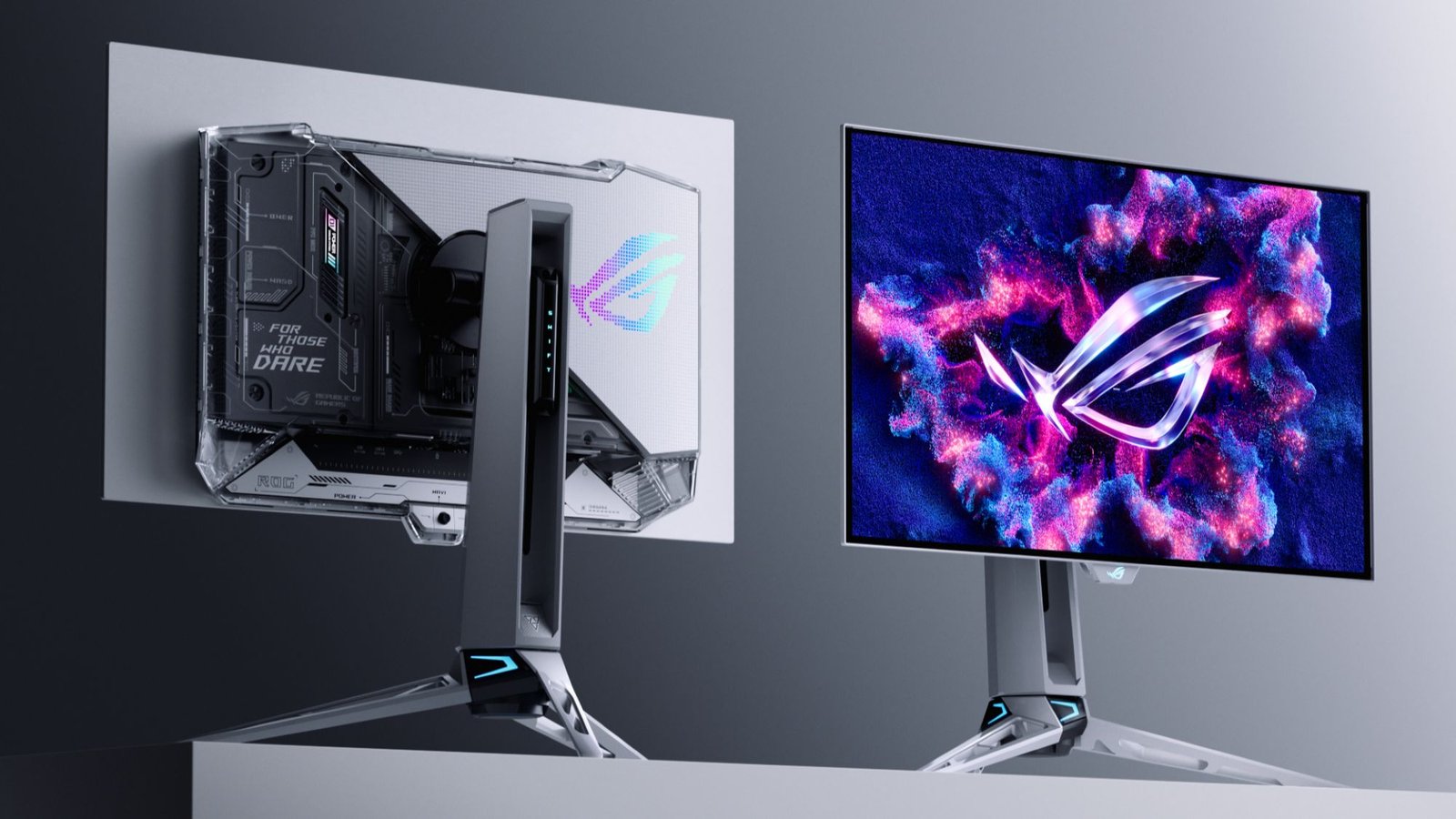
The 720Hz gaming monitor category has moved beyond speculation in 2026, with manufacturers introducing displays specifically designed for competitive esports. One significant development is LG Display’s 24.5-inch Full HD OLED panel, announced in September 2026, which supports a native 1920 × 1080 resolution at 720Hz and carries a manufacturer-claimed response time of 0.02 milliseconds. The panel has entered mass production and is being used in ASUS’s ROG Swift OLED PG259QWS Ace gaming monitor.
This development is important because OLED technology combines very fast pixel transitions with individually illuminated pixels, giving manufacturers another way to improve motion clarity without relying exclusively on conventional LCD technology. The ASUS monitor’s selection for the PGL CS2 Major Singapore 2026 also illustrates the growing emphasis on ultra-high-refresh-rate OLED displays in professional competitive gaming. However, manufacturer specifications and tournament adoption should not be mistaken for proof that every player will achieve better results with a 720Hz screen.
Another important distinction is that not every monitor advertised as 720Hz operates at that refresh rate at its maximum resolution. Some dual-mode displays offer a higher resolution at a lower refresh rate and switch to a reduced resolution to achieve 720Hz. For example, certain 27-inch OLED models provide 540Hz at 2560 × 1440 and 720Hz at 1280 × 720, prioritizing different combinations of sharpness and speed depending on the selected mode. Buyers should therefore check the resolution associated with the advertised maximum refresh rate before making a purchase.
OLED vs. LCD: Which Panel Technology Is Better for 720Hz Gaming?
OLED is particularly attractive for ultra-high-refresh-rate gaming because each pixel produces its own light and can change its output extremely quickly. This characteristic helps minimize pixel-transition blur and ghosting, while the absence of a conventional backlight allows OLED displays to deliver deep blacks and strong contrast. For competitive shooters, these characteristics can make fast-moving targets easier to distinguish, provided the monitor’s overall motion performance is well optimized.
Traditional LCD gaming monitors, including fast TN and IPS models, remain relevant because they can offer competitive motion performance, high brightness, and different price-to-performance advantages. Specialized LCD displays may also incorporate backlight strobing to improve perceived motion clarity, although the effectiveness of this technique varies by implementation and may involve compromises in brightness or synchronization features.
Neither panel technology should be judged by refresh rate alone. OLED buyers should consider brightness behavior, text clarity, burn-in protection, warranty coverage, and the manufacturer’s pixel-care features, while LCD buyers should pay close attention to pixel response times, overshoot, viewing angles, and motion-handling performance. At the 720Hz level, the quality of the complete display matters more than a single specification.
For gamers who want both high image quality and competitive speed, OLED is an increasingly compelling option in 2026. However, a well-designed 360Hz, 480Hz, or 500Hz display may still be a better purchase if it offers a more suitable resolution, a lower price, or better performance in the games a player actually uses.
The Biggest Drawbacks of 720Hz Gaming Monitors
The first major drawback is cost. Ultra-high-refresh-rate displays rely on advanced panel technology, specialized driving electronics, and extensive performance optimization, all of which can increase manufacturing expenses. Premium positioning can make these monitors difficult to justify for gamers who would benefit more from upgrading their graphics card, processor, or other parts of their setup.
Resolution is another important consideration. Competitive esports monitors often prioritize a compact screen size and relatively modest resolution to make extremely high frame rates more achievable. A 24.5-inch Full HD monitor can be suitable for fast-paced competitive gaming, but players accustomed to 1440p or 4K displays may find the lower pixel count less attractive for immersive games, detailed environments, and everyday desktop work.
Powerful hardware requirements also limit the audience. Even when a game can reach very high frame rates, maintaining consistent performance near 720 FPS can be considerably harder than achieving a similar average in less demanding titles. CPU bottlenecks, background applications, game-engine limitations, and frame-time fluctuations can prevent a system from taking full advantage of the monitor’s maximum refresh rate.
Finally, there are diminishing returns. Moving from 60Hz to 144Hz generally creates a substantial improvement in perceived smoothness, while the transition from 360Hz to 720Hz delivers a much smaller absolute reduction in the time between refreshes. Competitive players may still value that improvement, but most users should not expect a doubling of refresh rate to produce a doubling of visual clarity or gaming performance.
Is 720Hz Better Than 360Hz for Competitive Gaming?
A 720Hz monitor has a clear theoretical advantage over a 360Hz monitor in refresh interval, reducing the time between refreshes from approximately 2.78 milliseconds to 1.39 milliseconds. When a game produces enough frames, the higher refresh rate can provide more frequent visual updates and potentially improve the presentation of fast-moving targets. The difference is most relevant in scenarios where players can consistently generate very high FPS and are sensitive to small changes in motion clarity.
However, 360Hz remains an excellent refresh rate for serious competitive gaming. Many players will find it easier to achieve stable frame rates at 360Hz than at 720Hz, and a good 360Hz display may deliver excellent motion performance without requiring the most expensive hardware available. The additional budget can be invested in a faster CPU, better peripherals, or a more balanced overall system.
A 720Hz monitor becomes more compelling when the player already has a powerful gaming PC, primarily plays esports titles, and has reached a point where smaller display-performance improvements are worth pursuing. For players who are still upgrading from 144Hz or 240Hz, a high-quality 360Hz or 500Hz monitor may represent a more sensible balance between cost, responsiveness, and image quality.
Who Should Buy a 720Hz Gaming Monitor in 2026?
Professional esports players are among the clearest potential buyers. At the highest competitive levels, even small improvements in visual feedback can be worth investigating, particularly when players practice for long hours and compete in environments where consistency matters. A monitor that combines 720Hz refresh, fast pixel response, reliable frame synchronization, and suitable ergonomics can serve as a specialized tool for this audience.
Highly competitive enthusiasts are another potential audience, especially those who regularly play Counter-Strike 2, Valorant, or similar games at extremely high frame rates. These players may appreciate the improved temporal resolution and motion clarity even if they do not compete professionally. The decision becomes easier to justify when their PC already sustains high FPS and they have tested a 720Hz display before purchasing.
For casual gamers, streamers, and users who split their time between gaming, productivity, and entertainment, the benefits are less straightforward. A high-resolution 1440p OLED monitor with a refresh rate of 240Hz or 360Hz may provide a more balanced experience across gaming, video playback, and everyday tasks. Similarly, gamers who primarily play graphically demanding single-player titles are unlikely to realize the full benefits of a display designed around extremely high frame rates.
Budget-conscious buyers should be particularly cautious. A monitor upgrade should address an actual limitation in the current setup rather than simply chase the newest specification. If gameplay already feels smooth and responsive, improving resolution, contrast, ergonomics, or system performance may deliver a more noticeable improvement in everyday use.
What to Check Before Buying a 720Hz Monitor
Before purchasing a 720Hz gaming monitor, confirm that its maximum refresh rate is supported at the resolution you intend to use. Check whether the display offers native Full HD at 720Hz or requires switching to a lower-resolution mode, and verify that the desired refresh rate is available through the monitor’s supported input connection and configuration.
Next, examine response-time measurements, input-lag tests, motion clarity, variable refresh rate support, and compatibility with your graphics card. Manufacturer response-time claims are not always directly comparable because testing methods and measurement conditions can differ. Independent reviews that evaluate overshoot, pixel transitions, and end-to-end latency provide a more useful picture of real-world performance.
It is also worth considering the monitor’s physical design. Screen size, stand adjustability, viewing distance, display coating, and available ports can affect comfort and usability during long gaming sessions. OLED buyers should additionally review warranty terms and burn-in coverage, particularly if the monitor will display static desktop elements for extended periods.
Finally, compare the total cost of the upgrade rather than the monitor price alone. If reaching very high frame rates requires a new graphics card, processor, or platform, the complete system cost may be substantially higher than expected. A less expensive monitor paired with stronger hardware can sometimes produce a more consistent competitive experience.
The Future of Ultra-High-Refresh-Rate Gaming
The introduction of 720Hz OLED technology suggests that gaming monitor development is increasingly focused on optimizing motion clarity as well as resolution and contrast. OLED’s fast pixel transitions, high refresh capabilities, and image-quality advantages make it a promising platform for competitive displays, while continued improvements in panel driving systems may help manufacturers expand the range of available products.
At the same time, future progress will depend on more than achieving higher refresh-rate figures. Improvements in frame generation and delivery, input latency, variable refresh rate operation, panel efficiency, and graphics hardware performance will all influence how useful these displays become. A higher maximum refresh rate is valuable only when the entire gaming system can deliver a responsive and consistent experience.
There is also a growing need to balance temporal resolution with spatial resolution. Competitive players may willingly choose Full HD at 720Hz to prioritize speed, while other users will prefer the additional detail of 1440p or 4K at a lower refresh rate. Rather than replacing every existing monitor category, ultra-high-refresh-rate displays are likely to serve a specialized audience whose priorities differ from those of mainstream gamers.
As the technology matures and production expands, pricing and availability will help determine whether 720Hz remains a premium esports feature or becomes more accessible to enthusiasts. Until then, buyers should evaluate the actual performance benefits rather than assuming that the highest number automatically represents the best monitor.
Final Verdict: Are 720Hz Gaming Monitors Worth It in 2026?
Yes, but primarily for competitive gamers who can take advantage of the extra speed. The arrival of 720Hz OLED technology makes ultra-high-refresh-rate gaming a real option in 2026, offering extremely short refresh intervals and the potential for exceptional motion clarity. For players who consistently achieve very high frame rates and compete in fast-paced esports titles, the technology represents a meaningful step forward in display engineering.
For most gamers, however, 720Hz is not a necessary upgrade. A high-quality 240Hz, 360Hz, or 500Hz monitor can already provide an excellent gaming experience, while higher resolution, better contrast, and stronger system performance may offer more noticeable benefits outside the most demanding competitive scenarios.
The smartest buying decision is to match the monitor to your games, hardware, budget, and priorities. If you are already a serious esports player with a powerful PC and want to pursue the highest possible refresh rate, a 720Hz gaming monitor deserves consideration. If you simply want smoother gaming and better overall value, a well-chosen lower-refresh-rate display is likely to remain the more practical investment in 2026.
