


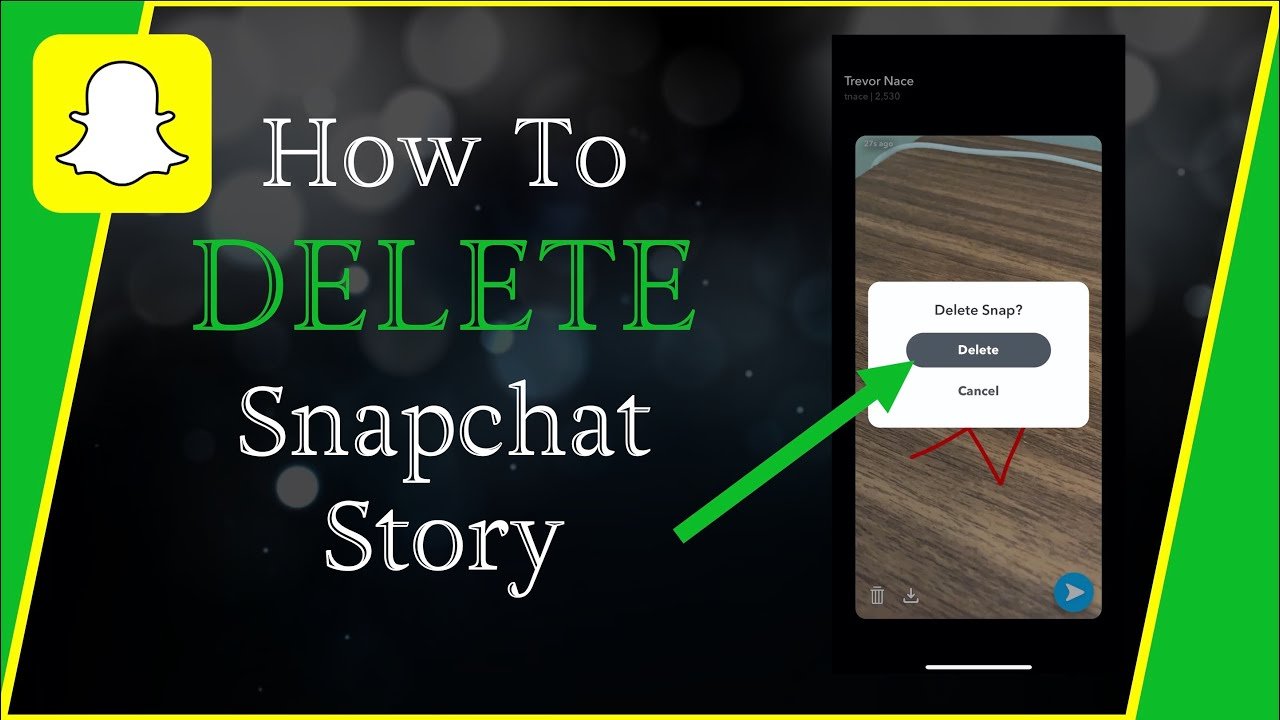
Snapchat Stories are designed to be temporary, but sometimes you may want to remove a Story before it expires. Whether you posted something by mistake, changed your mind, or simply want to clean up your profile, Snapchat lets you delete individual Snaps from your Story at any time.
The process is straightforward, although Snapchat Stories are made up of individual Snaps rather than one single file. This means that if your Story contains several Snaps, you need to delete each Snap separately to remove the entire Story.
How to Delete a Snapchat Story
To delete a Snap from your Story, first open Snapchat and go to your profile by tapping your Profile icon. Your active Stories can be managed from the My Account area.
Under My Stories, tap My Story to open the Snaps you have currently posted. Find the Snap you want to remove, then press and hold it to bring up the available options.
Tap Delete Snap and confirm the deletion if Snapchat asks you to do so. The selected Snap will then be removed from your Story.
How to Delete an Entire Snapchat Story
If you want to delete your entire Snapchat Story, you need to remove its individual Snaps one at a time. Snapchat’s current support instructions do not provide a single button that deletes every Snap in a Story simultaneously.
Open My Account, select My Story, and review each Snap currently included in the Story. Press and hold each Snap, select Delete Snap, and repeat the process until all of the Snaps you want removed have been deleted.
This approach is especially useful when a Story contains several photos or videos and you want to make sure nothing remains visible.
Can You Delete a Snapchat Story Before 24 Hours?
Yes. You do not have to wait for a Story to expire before removing it.
Snapchat states that you can delete a Snap from My Story at any time. Most Stories are normally designed to disappear after 24 hours, although the exact behavior can vary depending on your settings and whether the content has been saved elsewhere.
Deleting the Snap manually is therefore the best option when you want it removed before its normal expiration time.
What Happens After You Delete a Snapchat Story?
When you delete a Snap, Snapchat says it will attempt to remove the content from its servers and from your friends’ devices. However, removal may not happen instantly in every situation.
For example, Snapchat notes that a deleted Snap might remain visible briefly if someone has a poor internet connection or is using an older version of the app.
You should therefore avoid assuming that deleting a Story guarantees nobody has already seen or captured it.
Can Someone Still Have a Copy of a Deleted Story?
Deleting a Story does not necessarily erase copies that another person may already have captured. Someone who viewed your Snap could potentially take a screenshot or use another method to capture what appeared on their screen.
Snapchat specifically warns that people who see content can potentially save it using screenshots or other image-capture technology.
For that reason, it is best to think of Story deletion as removing the content from Snapchat’s Story display rather than undoing something that another person may have already viewed or saved.
How to Delete a Snap From a Public Story
Public Stories work somewhat differently from private My Stories. If you’ve shared a Snap through a public Story or Snap Map, you can access and control that content from the Spotlight & Snap Map area of your profile.
Open your profile and go to Spotlight & Snap Map to find the relevant public Snap. From there, select the Snap you want to remove and use the trash or delete option.
Snapchat says that deleting a Snap from Snap Map also removes it from Search, Context Cards, and Spotlight if a copy of that Snap was shared there.
How to Delete a Snap From Memories
Deleting a Story does not necessarily delete the same photo or video from Memories. Memories are a separate place where Snapchat can keep Snaps and Stories that you have saved.
To delete a Snap from Memories, swipe up from the Camera screen to open Memories. Press and hold the Snap you want to remove, then tap Delete.
Be careful when deleting saved Memories because Snapchat states that deleted Memories cannot be recovered by Snapchat Support.
What If Your Story Has Already Expired?
If your Story has already expired, you normally do not need to manually delete it from the active Story section. Snapchat says its servers are designed to automatically delete Snaps added to My Story when they expire, usually after 24 hours, although expiration can vary according to settings.
However, an expired Story may still exist as a saved copy if you have enabled saving to Memories or saved the content to your Public Profile. These saved versions need to be managed separately.
How to Prevent the Wrong People From Seeing Your Story
If your concern is not deleting a Story but controlling who can see future Stories, Snapchat provides privacy settings for this purpose.
In the app, open your Profile, tap the gear icon to enter Settings, then go to My Privacy & Data and select View My Story. Depending on your account and settings, you can choose options such as My Friends or Custom.
For public posting, Snapchat also provides My Story · Public, which is intended for sharing content with a wider audience. Your privacy choice can therefore determine who sees your Story before you need to remove it.
Does Changing Privacy Settings Delete an Existing Story?
Changing your Story privacy settings does not necessarily change who can view Snaps that were already posted.
Snapchat explains that the privacy settings in place when a Snap was sent to your Story remain associated with that Snap, even if you change the settings afterward.
If you have already posted something and want it completely removed, manually deleting the relevant Snap is a safer approach than simply changing your privacy settings.
Why Can’t I Delete My Snapchat Story?
If the delete option is missing or the Story does not update correctly, start by checking that you are viewing the active Story from your profile. Snapchat recommends keeping the app updated when you experience issues with its features.
If the problem continues, you can use Snapchat’s in-app support options. Snapchat provides a Bugs and Suggestions section under Settings where users can report problems or submit feedback.
Final Thoughts
Deleting a Snapchat Story in 2026 is relatively simple. Open your profile, go to My Stories, select My Story, press and hold the Snap you want to remove, and choose Delete Snap.
If your Story contains multiple Snaps, remember that Snapchat requires you to delete the individual Snaps rather than removing the entire Story with one action. Also consider checking Memories, Public Stories, or Snap Map separately if you want to remove other saved or publicly posted copies.
Most importantly, deleting a Story does not guarantee that nobody has already seen or captured it. Once content has been viewed, another person may have retained a copy, so think carefully about what you share publicly or privately on Snapchat.
