


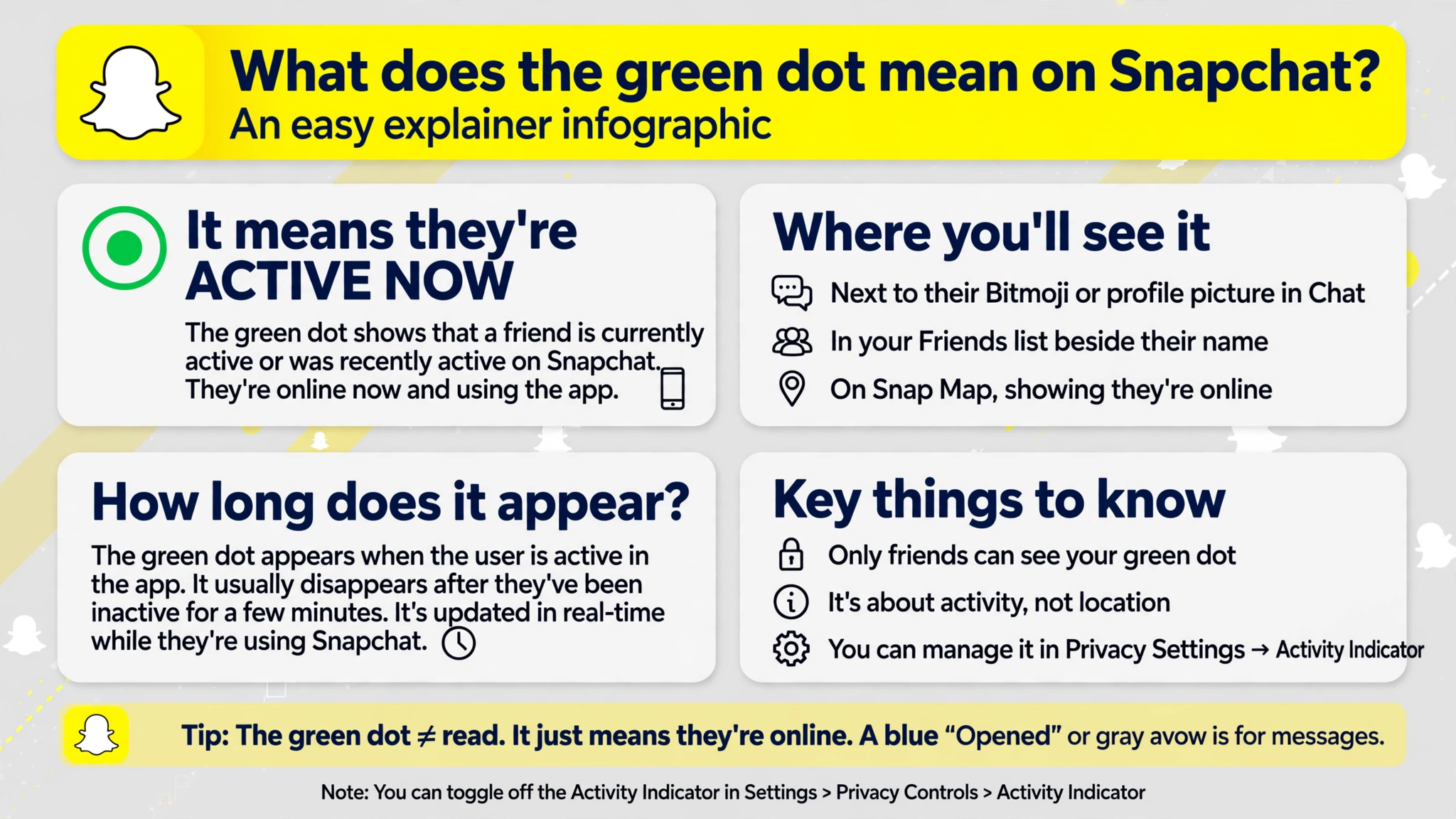
The green dot on Snapchat means that a person has been active on the app recently. Known as the Activity Indicator, this small green circle appears on a friend’s avatar or profile to give other Snapchat users a general idea of their recent activity.
However, seeing a green dot does not necessarily mean that someone is online at that exact moment.
A person might have opened Snapchat a short time ago and then closed the app, switched to another application, or put their phone away. Snapchat does not specify an exact time window for how recently someone must have been active for the indicator to appear, so it should not be treated as a real-time online status.
What Is the Green Dot on Snapchat Used For?
Snapchat’s green dot is designed to provide a quick indication of recent activity. It helps users recognize that an account has been active without displaying a detailed record of when the person opened the app or what they did while using it.
The indicator is generally enabled by default and remains visible unless the account owner turns it off. Depending on the version of Snapchat and the screen you are viewing, you may notice it on or beside a person’s profile avatar, including in areas where Snapchat suggests other users.
Although this feature can make interactions feel more immediate, it provides only limited information. It does not reveal a person’s exact last-active time, current activity, or willingness to communicate.
Does the Green Dot Mean Someone Is Online Right Now?
No, not necessarily. The green dot indicates recent activity rather than guaranteeing that someone is currently using Snapchat.
For example, imagine that you open Snapchat and notice a green dot next to a friend’s Bitmoji. Your friend may have used the app recently, but they might no longer be looking at their phone.
It is also important to remember that the indicator does not update according to a publicly documented, precise countdown. You cannot reliably determine whether someone was active a few minutes ago or longer ago just by looking at the dot.
For this reason, the green dot is best understood as a general activity signal, not a live tracking feature.
Does the Green Dot Mean Someone Is Ignoring Your Message?
No. Seeing a green dot does not mean that someone has read your message, deliberately ignored you, or chosen to respond to someone else instead.
A person can use Snapchat to browse Stories, check a profile, send a Snap, or perform another activity without opening your conversation. The green dot does not tell you which feature they used or whether they even noticed your message.
If you want to know whether someone has opened a message or Snap, look at the relevant status indicators within the conversation. Those indicators provide information about the message itself, whereas the green dot relates to general recent activity.
It is best not to draw conclusions about someone’s intentions based on the green dot alone. Being active on social media does not necessarily mean a person is available to talk or ready to reply.
Why Does the Green Dot Appear on Some Snapchat Profiles but Not Others?
You may notice a green dot beside one person’s avatar but not another’s. This difference does not automatically mean that one person is online and the other has not used Snapchat.
One possible explanation is that the person without a visible dot has disabled their Activity Indicator. Snapchat allows users to control whether this recent-activity signal is displayed to others.
The indicator’s appearance can also depend on the account’s recent activity and how Snapchat displays the feature in different parts of the app. Its absence is not definitive proof that someone has been inactive.
In other words, the green dot provides a limited clue about activity, but it cannot tell you everything about another person’s Snapchat usage.
How to Turn Off the Green Dot on Snapchat
If you prefer not to let other users see your recent-activity indicator, you can disable it through Snapchat’s privacy settings. Turning it off hides this particular activity signal without requiring you to deactivate your account or remove your friends.
Follow these steps:
-
Open Snapchat and tap your profile icon.
-
Tap the gear icon to open Settings.
-
Scroll to the App & Privacy section.
-
Select My Privacy & Data.
-
Find Activity Indicator under Privacy Choices.
-
Switch the Activity Indicator off.
Once disabled, your green activity dot should no longer be displayed to other Snapchat users through this feature. Menu names and locations may vary slightly depending on your app version, so look for Activity Indicator if the settings appear different.
Does Turning Off the Green Dot Affect Other Snapchat Features?
Turning off the Activity Indicator controls your recent-activity signal, not every aspect of your Snapchat privacy.
For example, it does not automatically hide your location on Snap Map, change who can view your Stories, or prevent people from seeing message-status information that Snapchat otherwise makes available to them.
If you want greater privacy, review these settings separately. You can adjust location sharing through Snap Map and Ghost Mode, manage Story visibility, and choose who can contact you through Snapchat’s privacy controls.
These features serve different purposes, so disabling the green dot alone should not be considered a complete privacy solution.
Is the Snapchat Green Dot the Same as the Green Dot on Your Phone?
No. The meaning depends on where the green dot appears.
When the dot appears beside a friend’s Snapchat avatar, it refers to the Activity Indicator and signals recent activity on the platform.
When a green indicator appears at the top of your phone’s screen, it may be an operating-system privacy indicator. On supported phones, this can signal that an app is accessing the camera or, depending on the device and situation, the camera and microphone.
These indicators communicate different kinds of information. The Snapchat avatar dot concerns another account’s recent activity, while the phone’s status-bar indicator concerns access to your device’s sensors.
Understanding the difference can help you avoid confusing a friend’s activity status with a privacy notification on your own phone.
Frequently Asked Questions
How long does the green dot stay on Snapchat?
Snapchat does not specify an exact duration for how long the Activity Indicator remains visible. The dot signals recent activity, but you should not assume that it corresponds to a fixed number of minutes or hours.
Can I see the exact time someone was last active?
The green dot alone does not provide an exact last-active timestamp. It only indicates that Snapchat considers the account to have been active recently.
Does the green dot mean someone is chatting with another person?
No. It does not identify whether someone is chatting, viewing Stories, sending Snaps, or using another part of the app.
Can I turn off my green dot without deleting Snapchat?
Yes. You can disable the Activity Indicator in your privacy settings while continuing to use Snapchat normally.
If I turn off my green dot, can I still see other people’s green dots?
The setting controls your own Activity Indicator. Turning it off does not, by itself, mean that other users’ indicators will disappear from your view.
Final Thoughts
The green dot on Snapchat means that someone has been active on the platform recently, but it does not guarantee that they are online right now, reading your messages, or available to respond.
If you see the dot beside a friend’s avatar, treat it as a general sign of recent activity rather than proof of what that person is doing. And if you would rather keep your own activity private, you can turn off the Activity Indicator in Snapchat’s settings.
Ultimately, the green dot is a small feature that offers a limited glimpse into recent app usage, not a reliable way to monitor someone’s availability or interpret their intentions.
